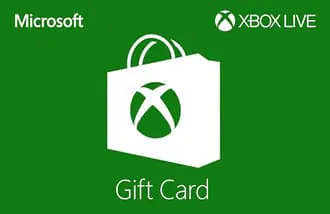
- Product
- Digital gift code
- Platform
- Xbox Series X|S, Xbox One and Windows
Digital Xbox credit
Buy Xbox gift card $25
With $25 in credit, you top up Xbox. What you buy with it is your choice in the Xbox store or app; current prices are shown there.
This is Xbox for the Australian market, priced in Australian dollars.
Everything on the Australian site is priced in AUD, never in another country's dollar. It pays to check that your account is registered in Australia before redeeming, because issuers commonly lock codes to one region. Getting it for a mate? Their account region is what matters when the code is entered.
Total price
$25.00
1 × $25.00
Payment methods
- PayPal

- Visa
- Mastercard
Pay with PayPal, Apple Pay, Google Pay, Visa or Mastercard.
- Officially sourced code
- Digital code by email after confirmed payment
- Need help? Customer service
What you get
With $25 in credit, you top up Xbox. What you buy with it is your choice in the Xbox store or app; current prices are shown there.
An Xbox gift card adds funds to your Microsoft account, used to buy games, DLC, Game Pass and apps on Xbox consoles and Windows.
What you get for this amount
- Credit you receive
- $25.00
- Total price
- $25.00
- Service fee
- Any service fee is shown before payment
- Delivery
- After confirmed payment you receive a unique code by e-mail, together with short redemption instructions. No physical card is shipped; this is a fully digital delivery.
- Account region
- GLOBAL
Where to spend
- Digital Xbox games
- Add-ons and in-game purchases
- Purchases in Microsoft Store
How to receive and redeem the code
After confirmed payment you receive a unique code by e-mail, together with short redemption instructions. No physical card is shipped; this is a fully digital delivery.
- 1Log in to your Microsoft account via the Xbox console or xbox.com.
- 2Go to the Microsoft Store and choose 'Redeem code'.
- 3Enter the 25-character code exactly as received.
- 4The balance is added to your Microsoft account instantly.
Region and conditions
The code region must match your Microsoft account region and currency.
After redemption, the credit stays on your Microsoft account and cannot be moved to another account.
Terms for account credit
After redemption, the issuer’s terms apply to the account credit.
Frequently asked questions
Does this also work on PC?
Yes, the balance works in the Microsoft Store on both Xbox consoles and Windows 10/11.
Can I pay for Xbox Game Pass with it?
Yes, you can pay for Game Pass subscriptions directly with this balance.
Other card values
Need help?
If the code does not work, check the official redemption instructions and that the code was copied exactly. Our support team can then help with the error message and proof of purchase.
Also popular with gamers
 PlayStation StoreFrom $20.00Any service fees are shown before payment
 Razer GoldFrom $10.00Any service fees are shown before payment
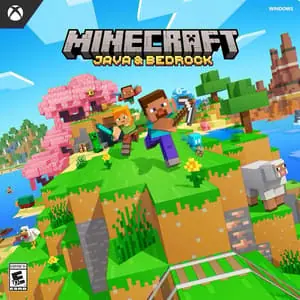 Minecraft Java & Bedrock PC EditionFrom $39.95Any service fees are shown before payment
 NexonFrom $25.00Any service fees are shown before payment
 Roblox RobuxFrom $50.00Any service fees are shown before payment
 Minecraft MinecoinsFrom $14.95Any service fees are shown before payment
 League of Legends RPFrom $10.00Any service fees are shown before payment
 AmazonFrom $25.00Any service fees are shown before payment